← All posts
PROJECT
Real-Time Communication · Web Development · DevOps
OneTimeChat: conversations without sign-ups
How a flying club's reply-all problem became a link-based messaging app—and my first full-stack deploy to a server of my own.
stack React · Node.js · SQLite
status live
From Flying Club Frustration to Link-Based Messaging
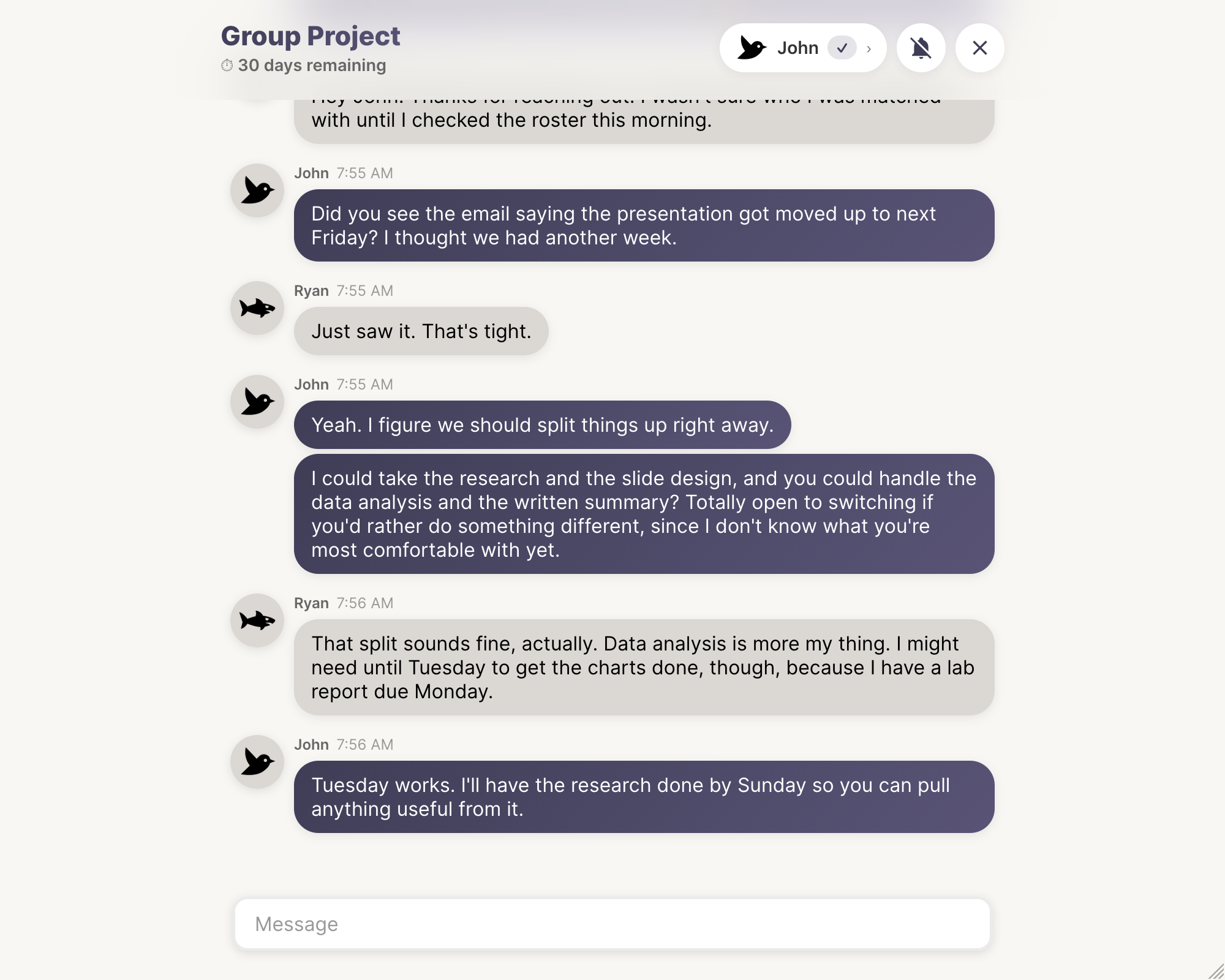
OneTimeChat is a messaging app that requires no download and no account. Just click a link and start sending messages right in the browser. Thirty days after the last message is sent, the conversation disappears. It's made for temporary group coordination where getting everyone to download an app is too cumbersome.
The idea came to me when I was trying to start a flying club. We had about ten people come together to start a non-profit where we would own and share an airplane together. At first, I was emailing the whole group, and for everyone to send replies meant people would have to reply-all to keep everyone in the loop. We needed a messaging app, but picking one proved difficult with a sizable group. Everyone would have to agree to download an app, create an account, and then we'd have to get everyone in the same chat together.
It would be so much easier to just email a link to a chat. And thus, the idea was born.
No Barriers, Just Conversation
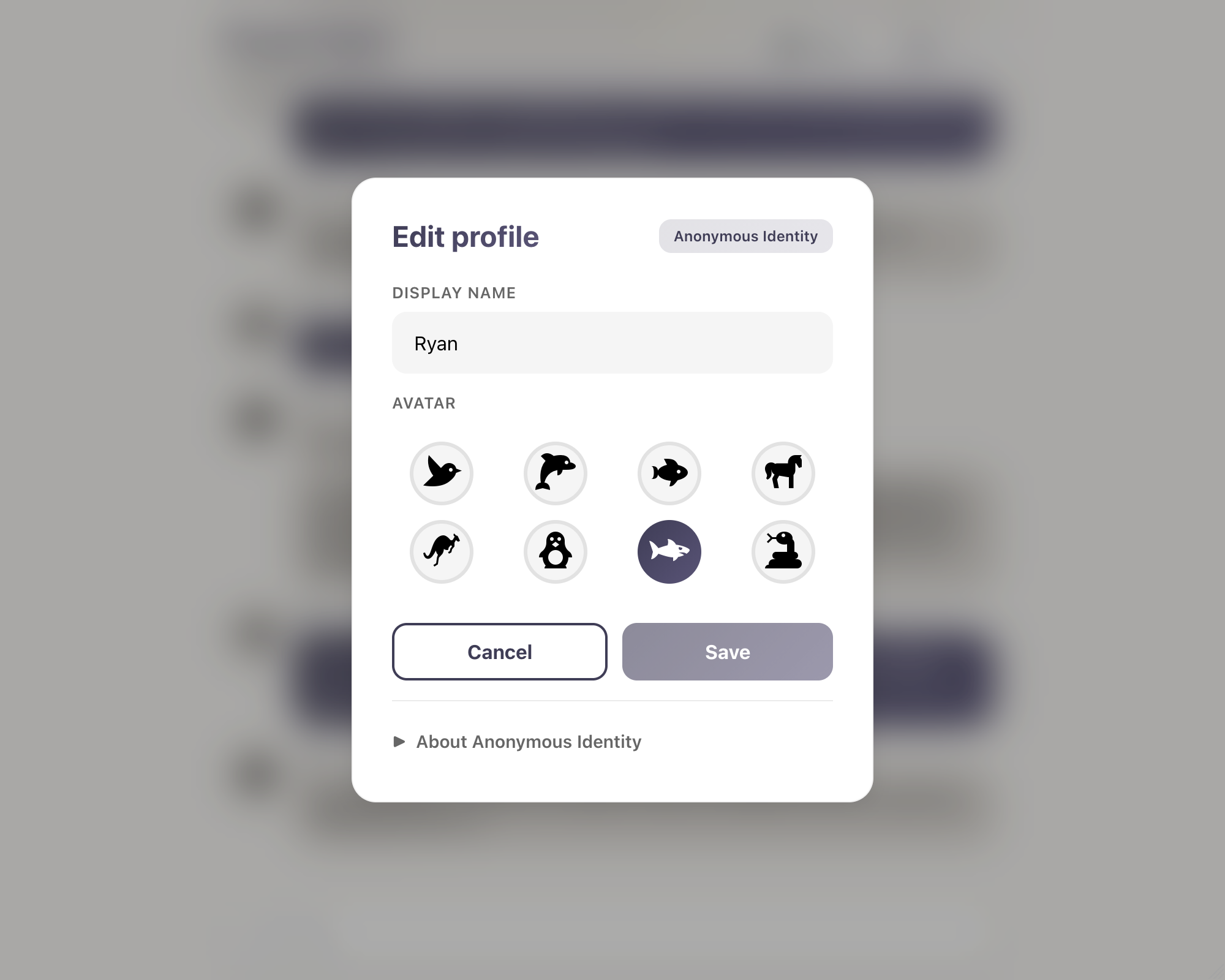
When you receive a link, you can open the chat in the browser and see the conversation immediately—no questions asked. To send messages, just set a name and an avatar icon, and you can start chatting right in the browser.
If you have an account, all messages stay tied to your identity. Change your name or icon, and it updates across all conversations you're in. To create a new conversation, you'll need an account, and you can delete any conversation you create at any time—waiting the 30 days for the conversation to go stale isn't a requirement.
Anyone who has access to the chat can share the link, and anyone with the link can view it, so there's truly no sign-in barrier. It works on both desktop and mobile devices, and every chat has its own notification toggle. If you've taken part in a conversation, signed in or not, you can switch on push notifications for it and hear about new messages even after you've closed the tab.
Backend Architecture
The backend service is a Node.js app using the Express framework. It serves a REST API that handles all CRUD operations for conversations and messages, as well as user accounts, authentication, and authorization.
In addition to the REST API, the service delivers real-time data over WebSocket connections through Socket.IO. This dual approach means authentication and session management happen through traditional HTTP requests, while all message delivery happens over persistent WebSocket connections.
The service also runs a cron job that deletes stale conversations and messages. SQLite triggers bump a conversation's timestamp whenever its messages change, keeping the deletion logic simple and reliable.
Frontend Implementation
The frontend is a React app built with TypeScript and Vite. Redux handles authentication state, while React Router manages navigation. The app handles login, signup, and session refresh through the REST API, but everything else—messaging, presence updates, profile changes—happens through the Socket.IO client.
This means all messages sent are received almost instantaneously by other members of conversations. Profile updates from logged-in users propagate in real-time to everyone in their conversations.
Messages appear instantly through WebSocket connections—no polling, no delay, no refresh required.
Notifications for Every Chat
Each chat has its own notification toggle. When you switch it on, the browser creates a Web Push subscription and the backend records that this device wants to hear about that conversation. No account is required, so guests get notifications just like everyone else. If you're signed in, the subscription is also linked to your account, so turning a chat's notifications off mutes it on every device.
When a new message arrives, the backend finds every subscription following the conversation, skips the sender and anyone already viewing the chat, and sends the notification through the web-push library, signed with VAPID keys. If the push service reports that a subscription has expired, the backend deletes it. On the frontend, a service worker receives each push and shows the notification, even if no OneTimeChat tab is open.
Tech Stack
React
TypeScript
Redux
Node.js
Express
Socket.IO
SQLite
Web Push
Learning to Deploy Beyond Managed Services
Neither the backend nor the frontend were particularly difficult to build. The backend follows standard REST API patterns and relies on database triggers for automatic timestamp updates. The frontend uses familiar patterns—Redux for auth, React Router for navigation, a service worker for push notifications.
The real challenge for me was deployment. Up until this point, I'd been able to use managed services to deploy apps. Daily Story, for instance, is a single Node.js app that runs on Cloud Run with no state to manage. But OneTimeChat originally required a frontend, a backend, and a Postgres database—a setup that demands more than just deploying to a managed platform.
The best way to deploy this was to set up a server myself with production builds of each component.
It was my first time deploying a full-stack application to a self-managed server. I had to think about:
- Building production versions of both the React app and Node.js backend
- Setting up and configuring a Postgres database
- Configuring Nginx as a reverse proxy to route requests to the right services
- Managing environment variables and secrets across different processes
- Setting up SSL certificates for secure WebSocket connections
- Ensuring the Node.js service restarts automatically if it crashes
It was a great experience to step out of the managed world and take more responsibility for how the app runs in production. Understanding the deployment process—from build pipelines to process management to reverse proxies—gave me a much deeper appreciation for what managed services abstract away.
Trading Postgres for SQLite
OneTimeChat started out with Postgres running in its own container next to the backend. It worked, but for a lightly used app it was more machinery than the job needed. That meant a second container to run, a network connection and credentials to manage, and a separate service to keep healthy and back up.
So I replaced it with SQLite. The database is now a single file on a mounted volume, opened directly by the Node.js process through Node's built-in node:sqlite module. There's no database server and no extra dependency. Write-ahead logging means readers don't block the writer, and the timestamp triggers carried over with only small changes. If the app ever outgrows a single file, moving back to Postgres is still possible. For now, the simpler setup is the better fit.